See what's happening and where. Before someone has to tell you.
21 report types pulled from live data. Geofencing that flags field attendance instantly. Biometric devices that sync on a schedule — these are the modules that make ChordHR visible and connected, without the manual work in between.
Reports. Geofencing. Biometric sync. No manual work.
Most HR tools make you go looking for information. ChordHR surfaces it — reports from live data, field attendance from geofencing, and biometric devices that sync on their own.
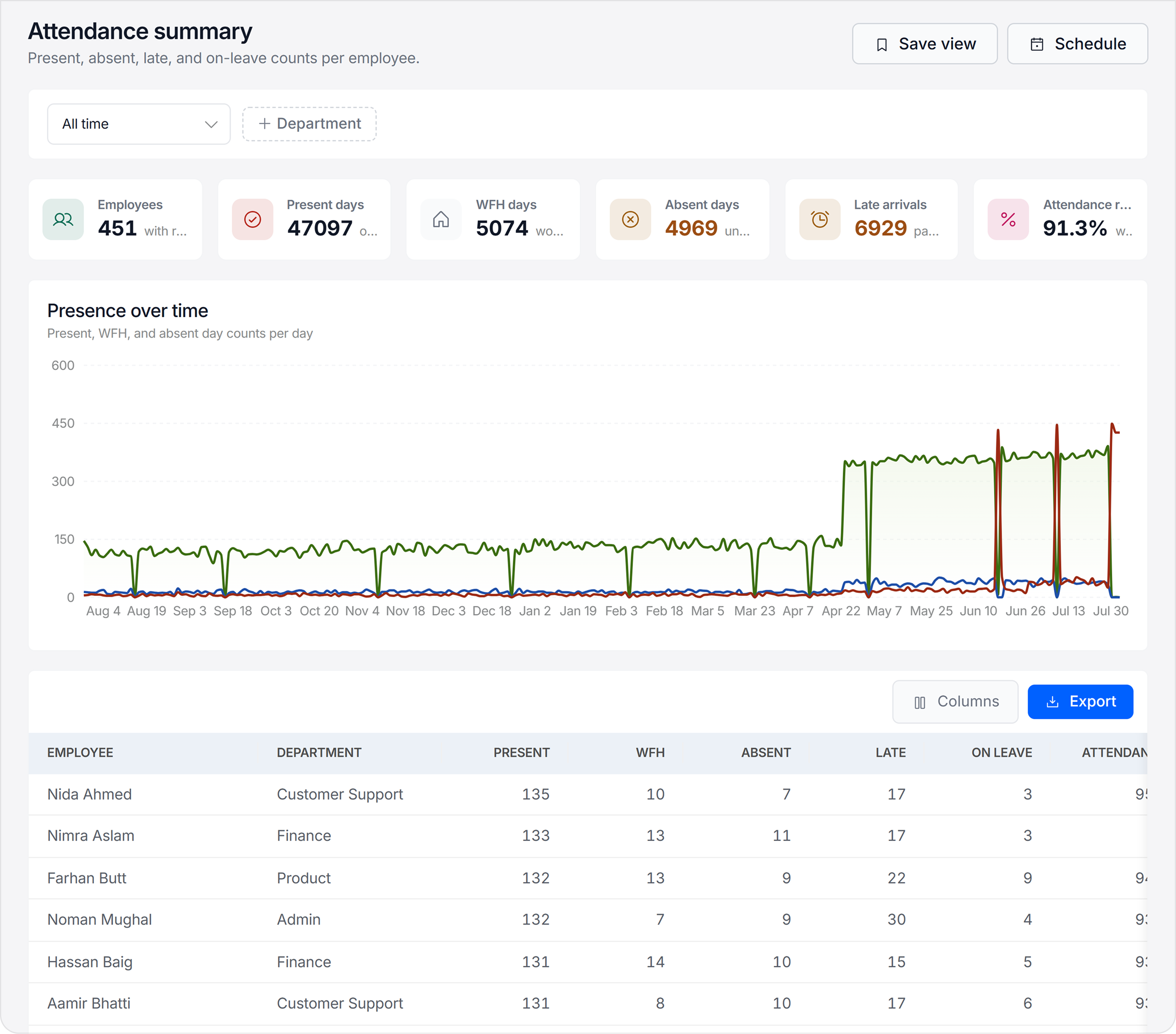
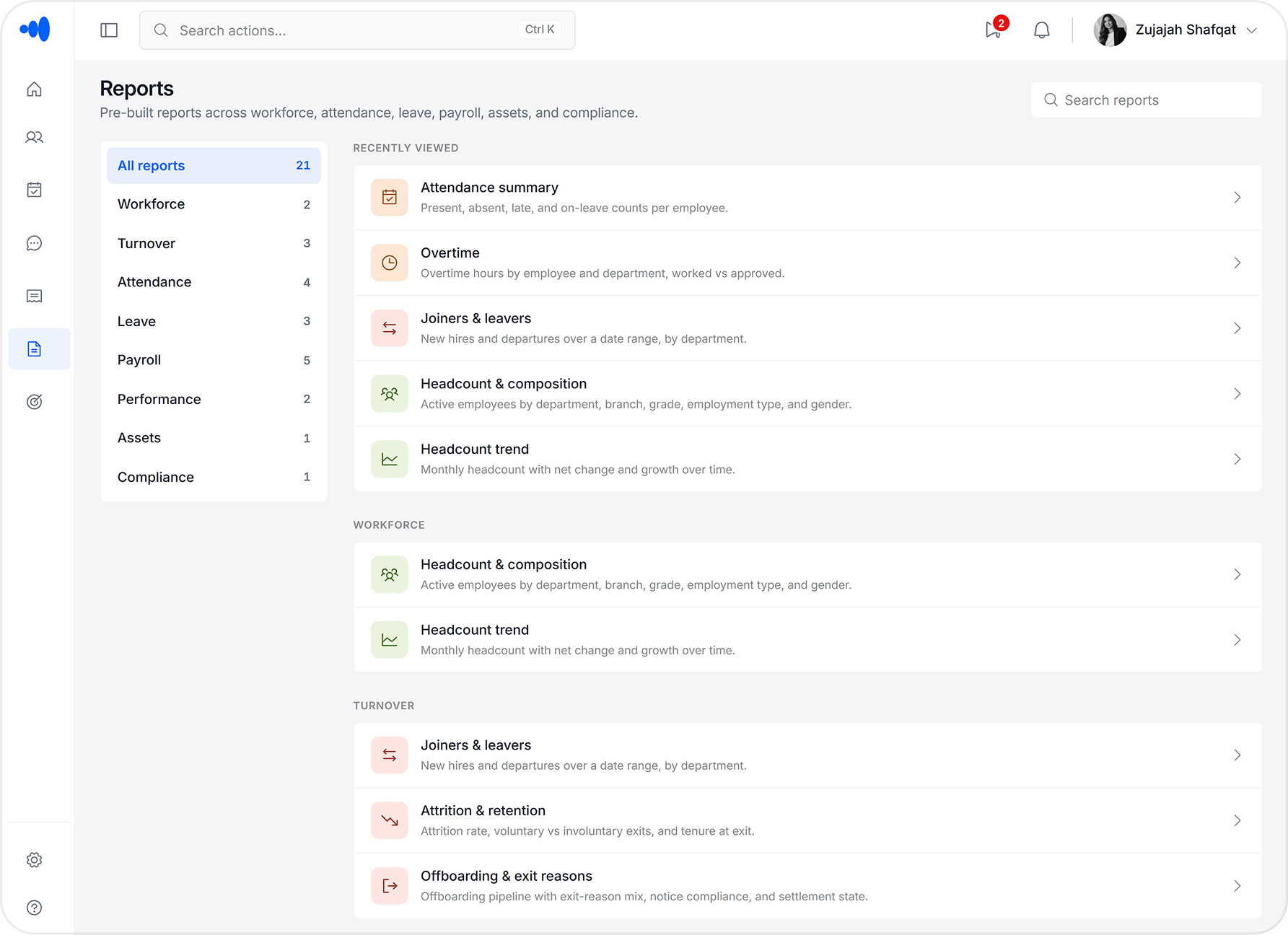
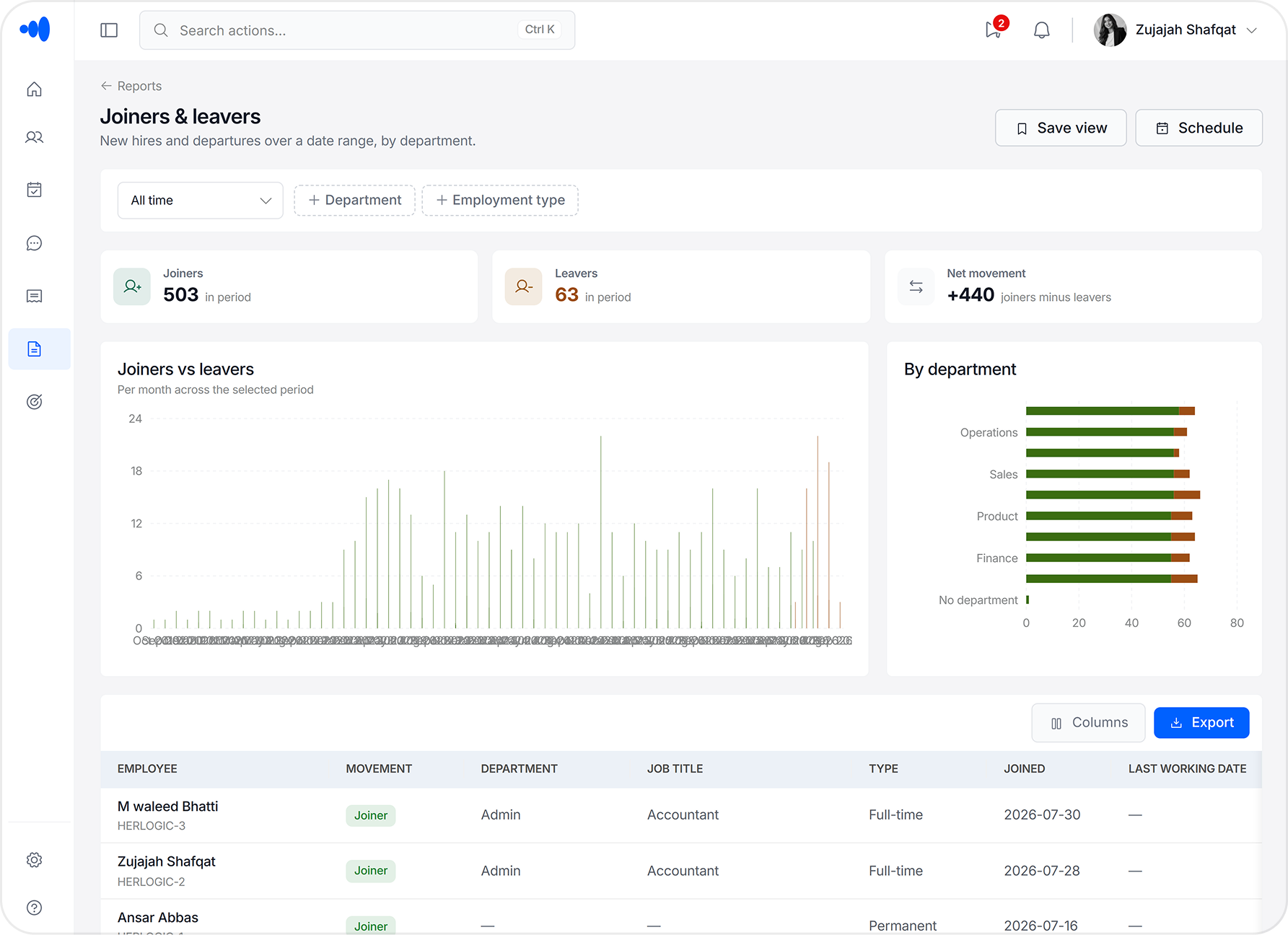
21 report types — all pulled from live operational data
Dashboards pull directly from the same attendance, leave, and payroll records that HR uses daily. There's no separate report to build, no end-of-month compilation, no five-file merge to see what's happening.
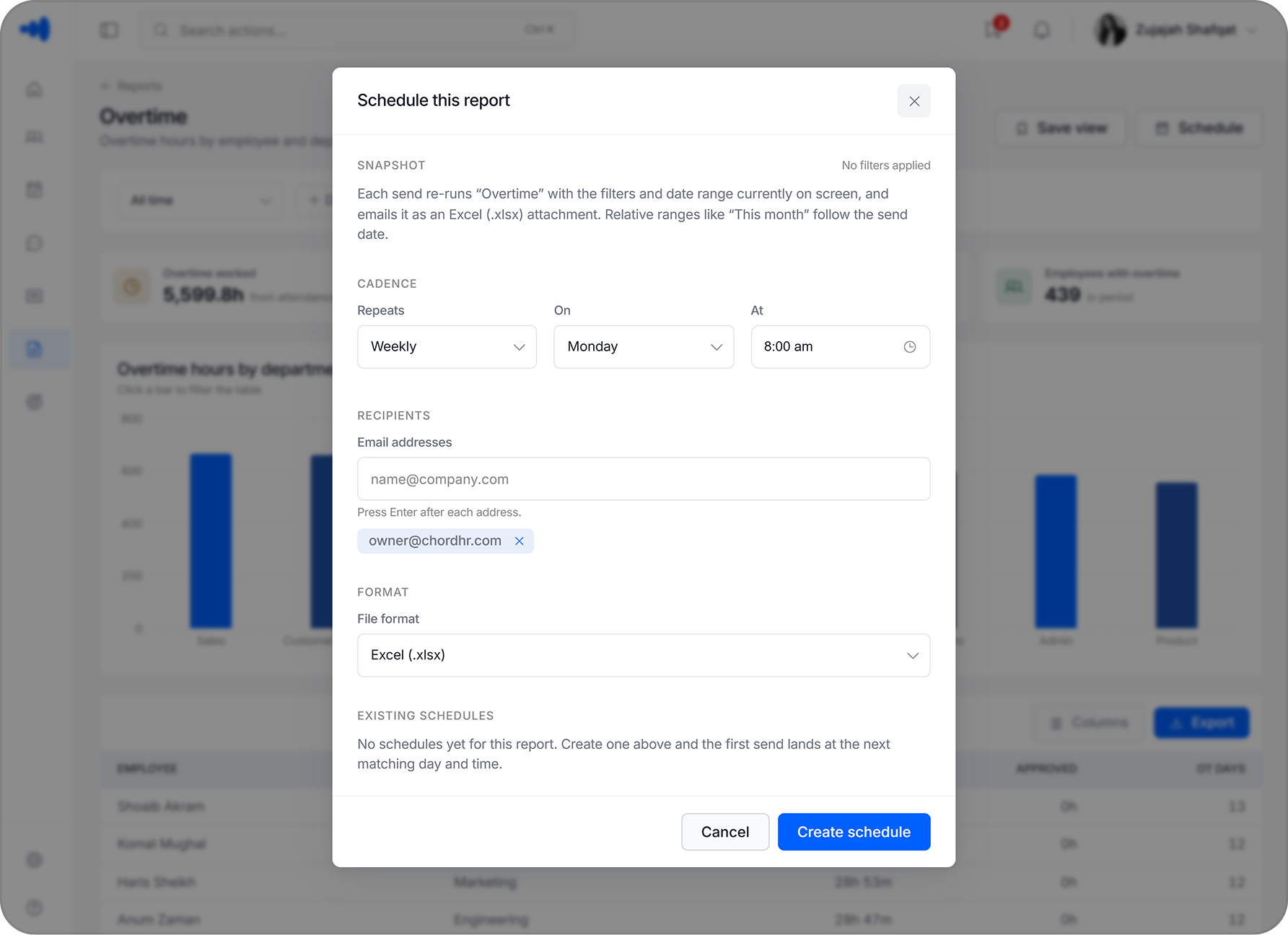
Scheduled report delivery — reports sent automatically, on time
Set a schedule, pick the recipients, and ChordHR delivers the report to their inbox. No one needs to remember to pull it, log in, or export anything. The right people get the right data on time, every time.
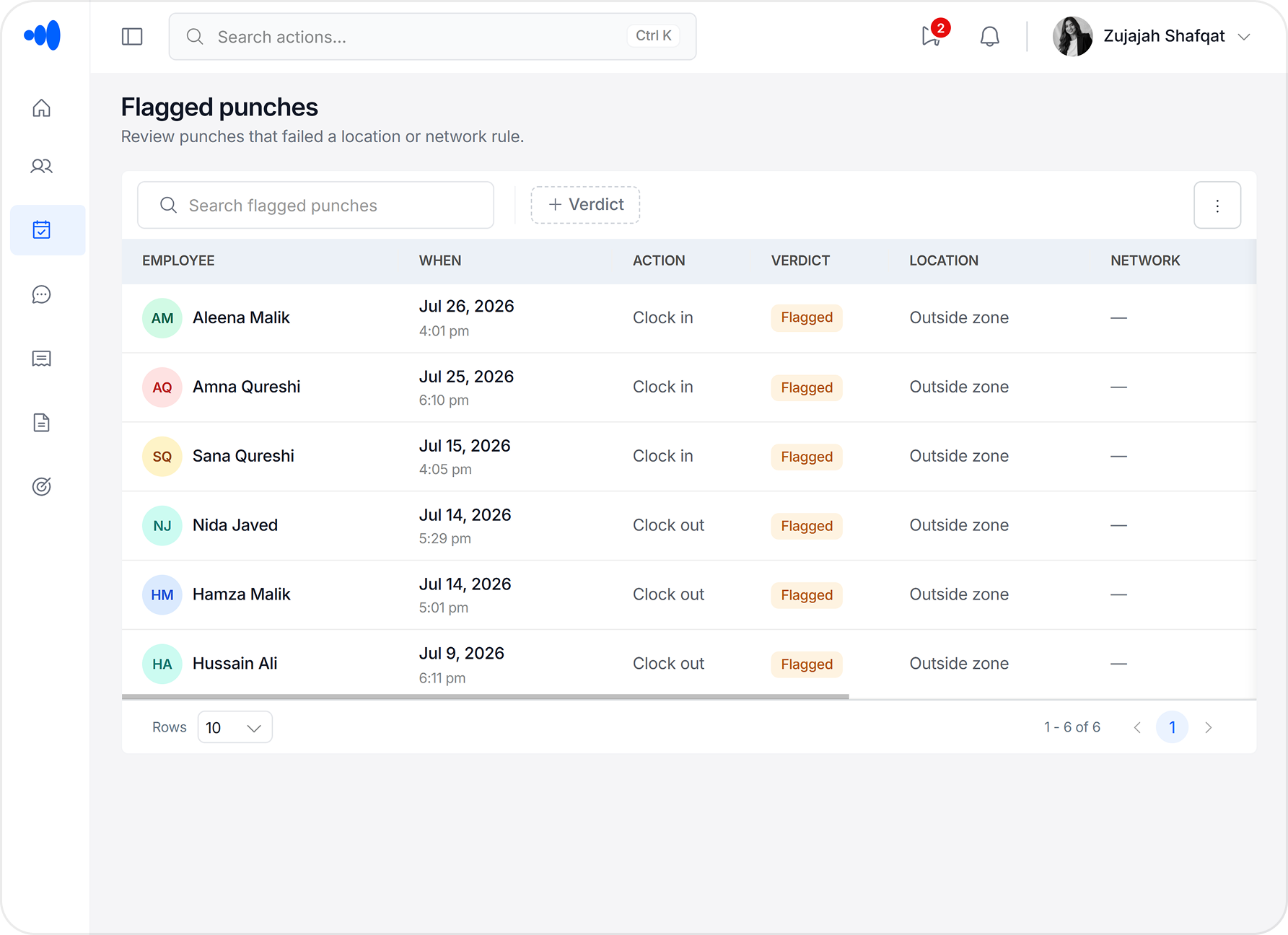
Geofencing — field attendance without relying on anyone's word
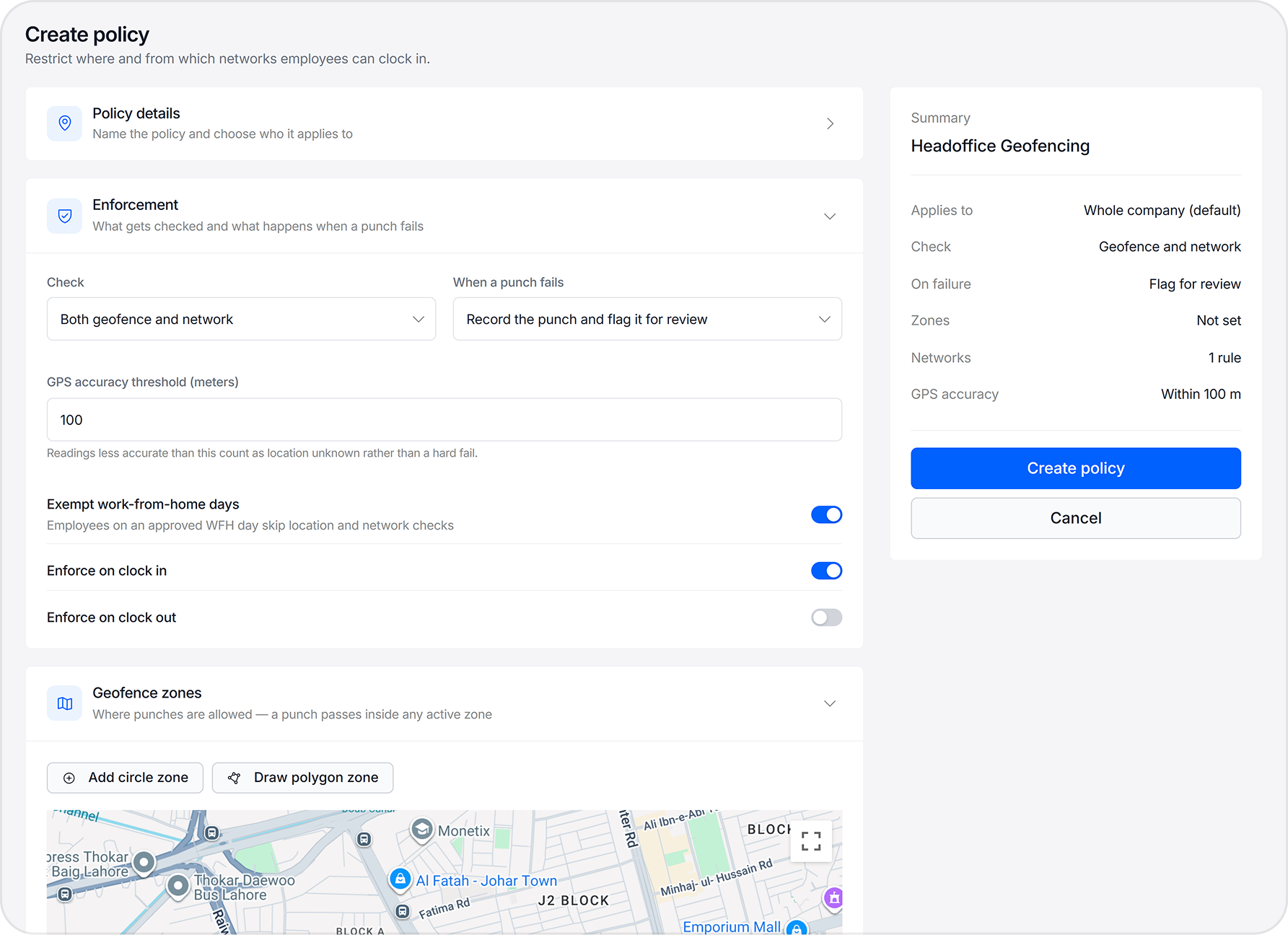
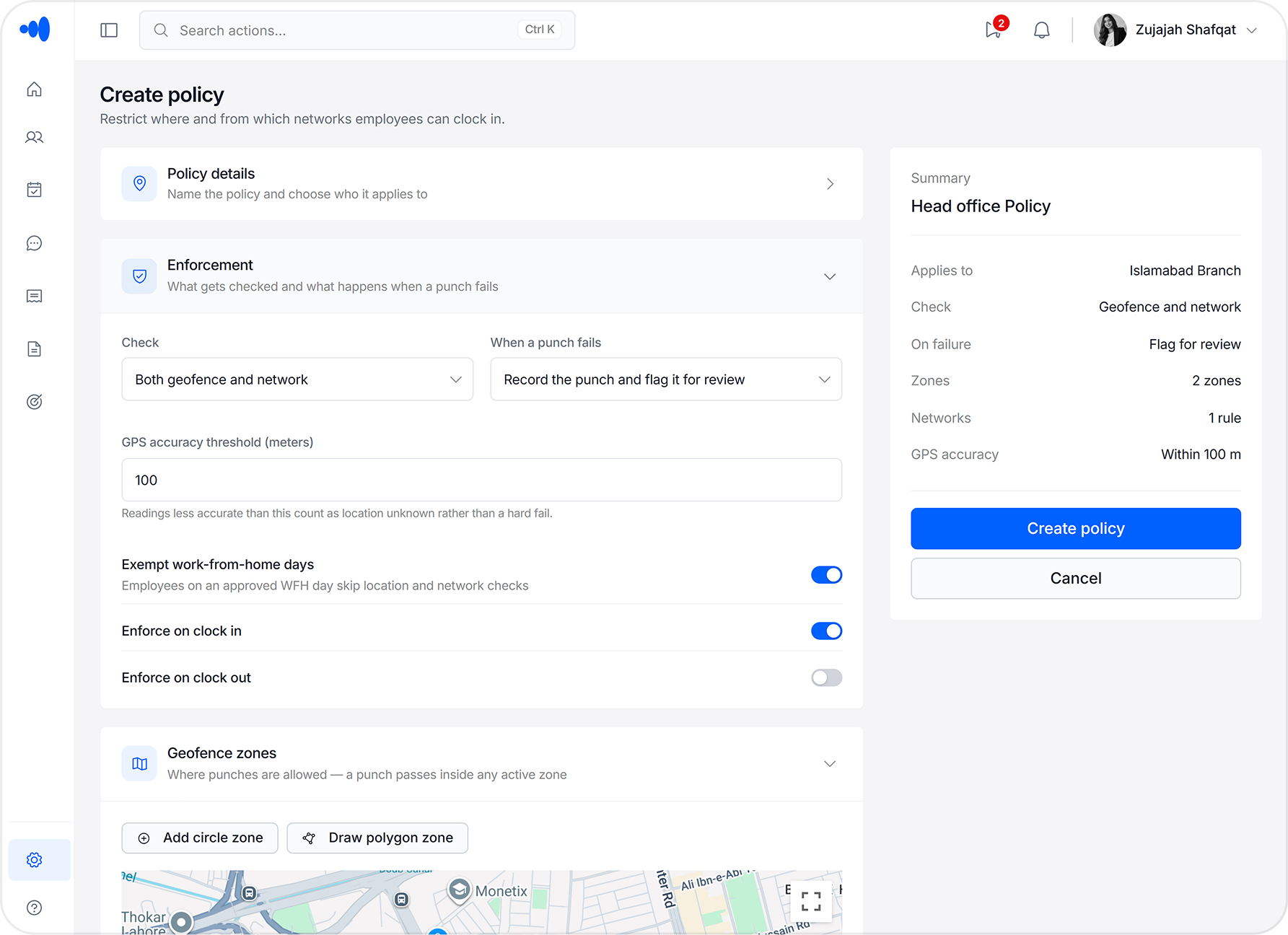
Define a site boundary on a map. When a field employee clocks in outside it, ChordHR flags it immediately. HR gets the alert without waiting for a manager to report it, and the record reflects exactly where the punch happened.
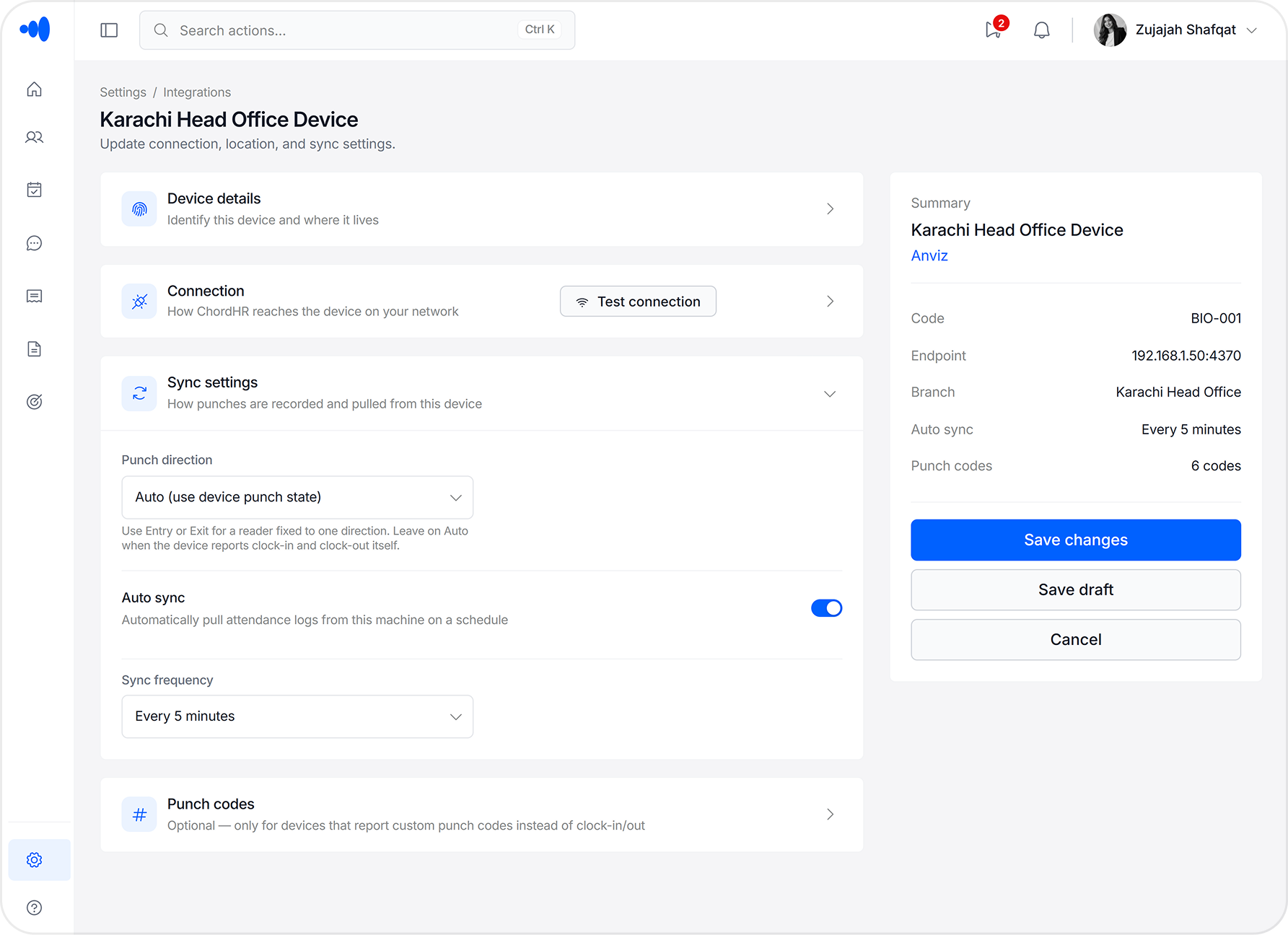
Biometric devices sync on a schedule — no manual uploads
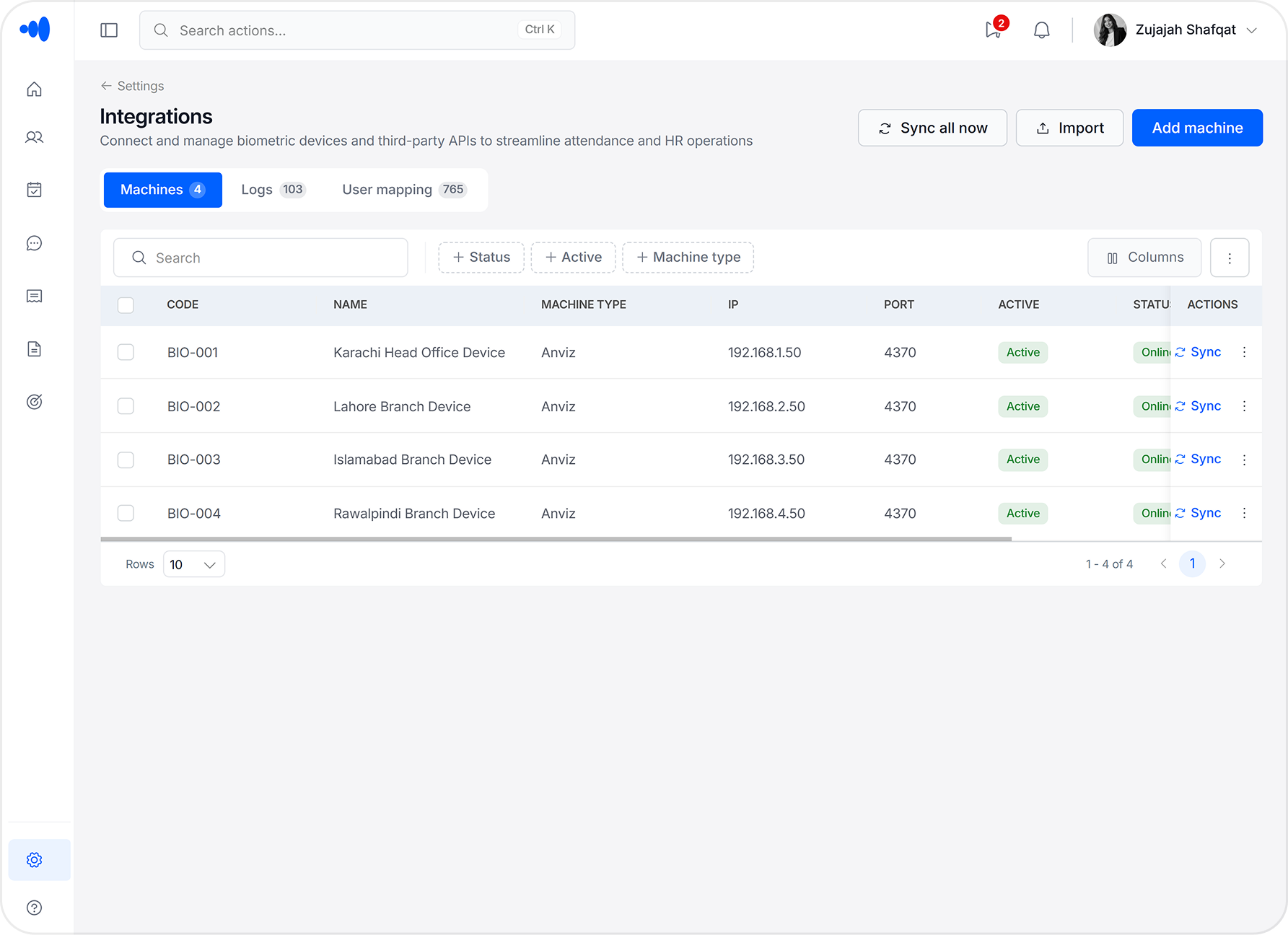
Connect once with IP, port, and device type. ChordHR syncs attendance records automatically on your configured schedule. Sync status and history are logged per branch, so you always know when data last came in.
Modules in this group
Three modules. Connected and complete.
Reports & Analytics, Geofencing, and Biometric Device Integration are the infrastructure layer that makes the rest of ChordHR observable and connected.
Reports & Analytics
Reports that already exist, instead of reports you build.
Every report in ChordHR is drawn from live operational data — the same attendance records, leave approvals, and payroll inputs HR managers work with every day. There's no pipeline to build, no export to trigger, no separate tool to open.
21 report types covering attendance, leave, payroll, and headcount
Custom dashboards built without IT involvement
Scheduled delivery — reports sent to inboxes automatically
Department and branch-level breakdowns available by default
Role-scoped views — managers see their team, HR sees everything
Geofencing
Define the boundary. ChordHR enforces it.
Draw a geofence around your site, branch, or field location. When an employee clocks in outside it, ChordHR flags it automatically — no manager report needed, no end-of-day review. You choose what happens next: log it, restrict the punch, or trigger an alert. The record captures the exact location of every clock-in.
Map-based geofence setup per branch or site
Configurable punch actions — allow, restrict, or flag outside-boundary punches
Location captured with every mobile clock-in
Instant alerts when attendance is logged outside the defined zone
Supports multiple geofences across branches and field teams
Biometric Device Integration
Connect it once. It syncs itself.
ChordHR connects to your attendance hardware — fingerprint scanners, face recognition units, RFID readers — using IP address and port. After the initial setup, attendance data syncs automatically on your configured schedule. No USB transfers, no manual uploads, no guessing whether data came through.
Supports multiple biometric device types — fingerprint, face, RFID
IP and port-based device setup — no drivers, no software installs
Configurable auto-sync schedule per device or per branch
Per-branch device management — each office has its own device list
Sync status history logged per device — you always know when data last arrived
What's usually missing
Problems HR teams tell us every week
These aren't edge cases. They're the things HR managers bring up in the first five minutes of every demo call.
Unified data — instant reports
21 reports from 8 groups
Attendance, leave, payroll inputs, headcount — each in a different system. Someone spends half a day combining them into a report that's already outdated by the time it's shared.
ChordHR fix
All 21 report types pull from the same live dataset. No compilation, no exports — the report exists the moment the data does.
Someone plugs in a USB drive every morning and exports from the device software. If they're out, it doesn't happen — and HR processes leave without current attendance data until payroll surfaces the gap.
ChordHR fix
Connect once with IP and port. ChordHR syncs automatically on schedule — no USB, no manual trigger. Sync history is logged per device so you always know when data last arrived.
Every recurring report depends on someone remembering to pull it. If they're out or busy, it doesn't go out — and leadership makes decisions on stale numbers.
ChordHR fix
Save a report view and set a schedule. ChordHR delivers it to the right inboxes automatically — daily, weekly, or monthly. No one needs to log in or forward anything.
Field staff clock in from home or the car — the record shows them as present. Managers find out days later, usually from a complaint. By then payroll has already processed.
ChordHR fix
Geofencing flags any punch outside the defined boundary immediately. HR sets whether to allow, restrict, or alert. Location is captured with every mobile clock-in.
Nothing enforces where or how employees clock in. Records look fine on paper — problems only surface when a manager questions a punch or payroll needs to reconcile.
ChordHR fix
Create location and network policies per branch or team — restrict punches to a geofence, a specific Wi-Fi network, or both. Flagged punches include the reason, so HR always knows exactly what happened.
How we compare
Not all platforms give you real visibility
Basic tools leave you piecing together data by hand. Enterprise platforms need a data team. ChordHR makes operational reporting something any HR manager can do in two minutes.
—
Capability
Too simple
Basic Tools
Just right
ChordHR
Too complex
Enterprise
Real-time reporting (vs. manual compilation)
Export-based, end-of-period reports only
Live dashboards from the same operational data
Available — requires BI module or integration setup
Available — separate module, additional configuration required
Scheduled report delivery
Manual export only — no scheduled delivery
Set recipients and frequency — delivered automatically
Available — requires BI module or third-party scheduling setup
Setup time
Hours to days
48 hours with dedicated onboarding
Weeks to months + IT and vendor involvement
Training required to use daily
Minimal
Minimal — designed for non-technical HR
Significant — dedicated admin and analyst required
Explore more
More modules, all working as one.
Visibility & Infrastructure is the reporting and field-awareness layer for data that lives everywhere else in ChordHR. Attendance flows from Workforce Operations and biometric devices. Headcount and onboarding status come from Employee Lifecycle. Role-scoped access is managed by Finance & Compliance. Geofencing ties field attendance back to the same records. It all connects.